My application · Live 3D in your browser

Retro petrol station 1:18: from five iPhone photos to live 3D

Five ordinary iPhone photographs provided all the photographic reference for this interactive recreation of the retro petrol station at Porsche Classic Center Gelderland. Explore the scale model yourself, or start one of two sequences set to music.

A personal making project.
  • Statuspersonal project, publicly available
  • TechnologyBlender, Cycles and three.js (WebGL)
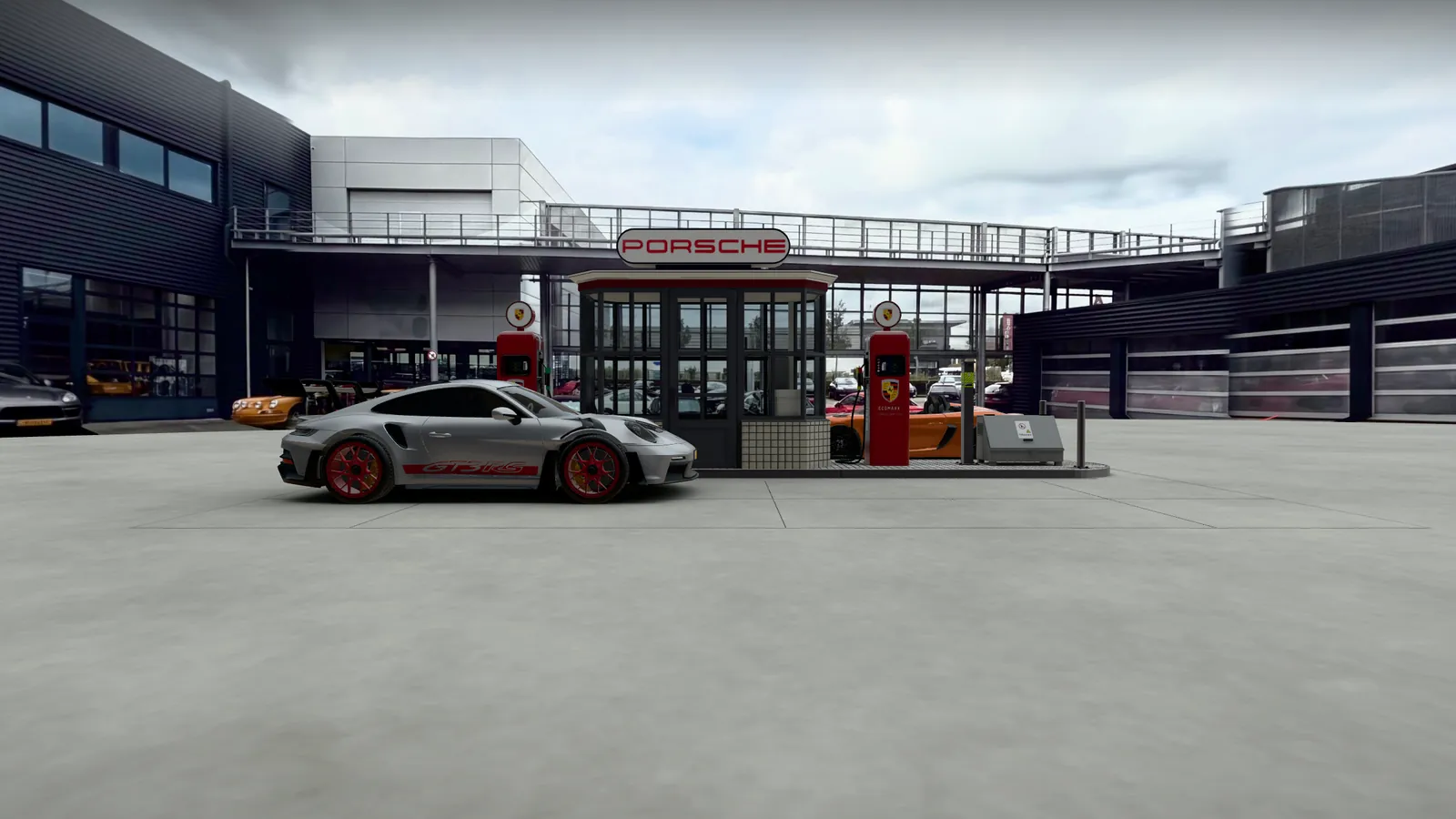
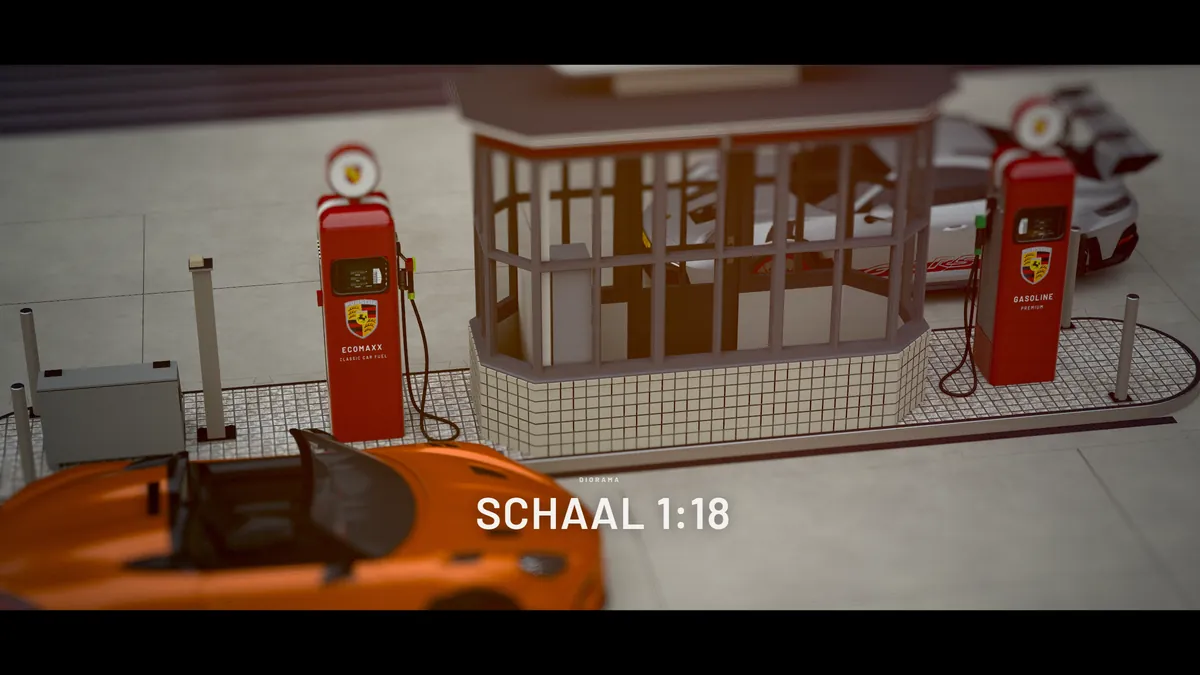
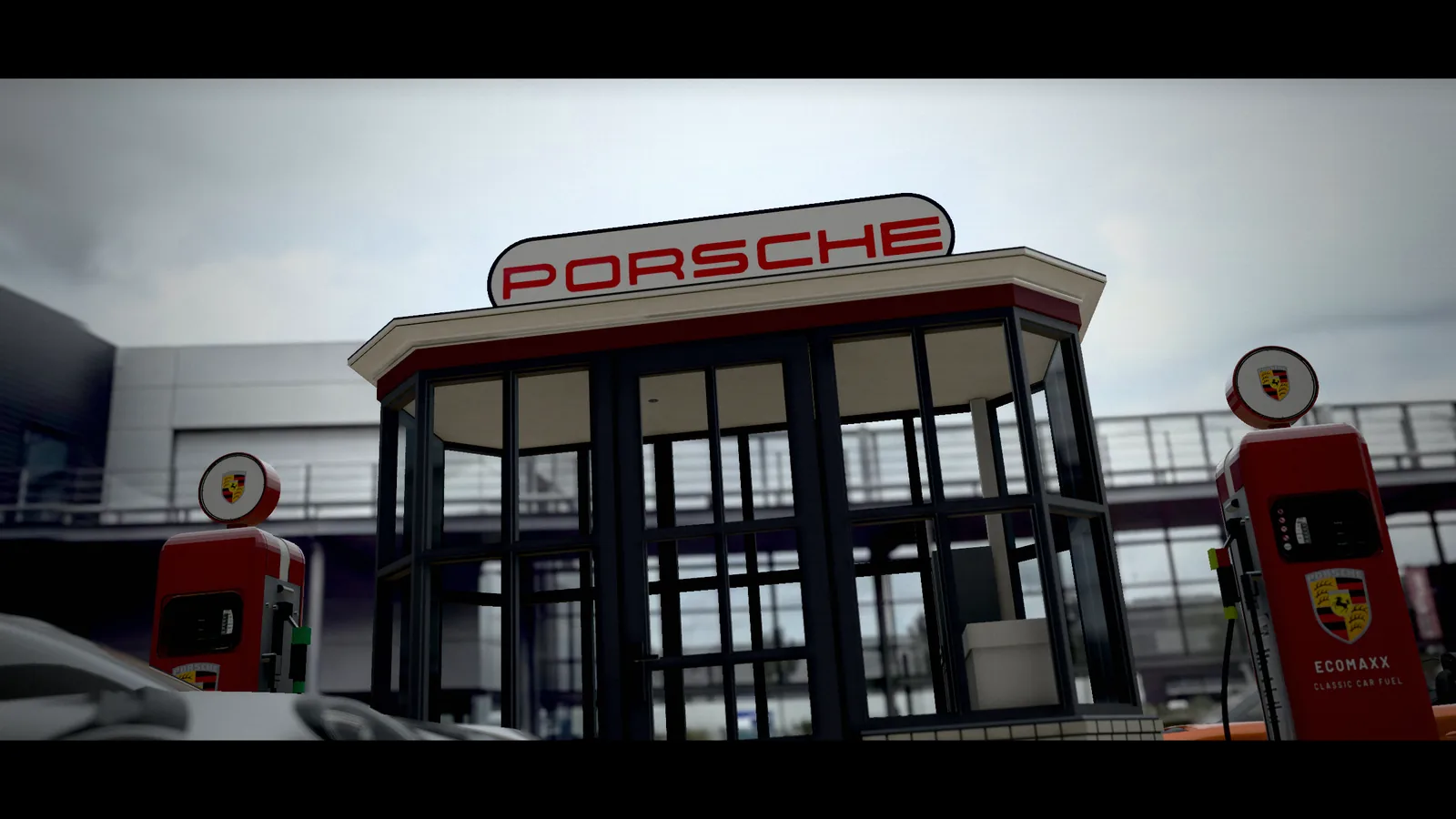
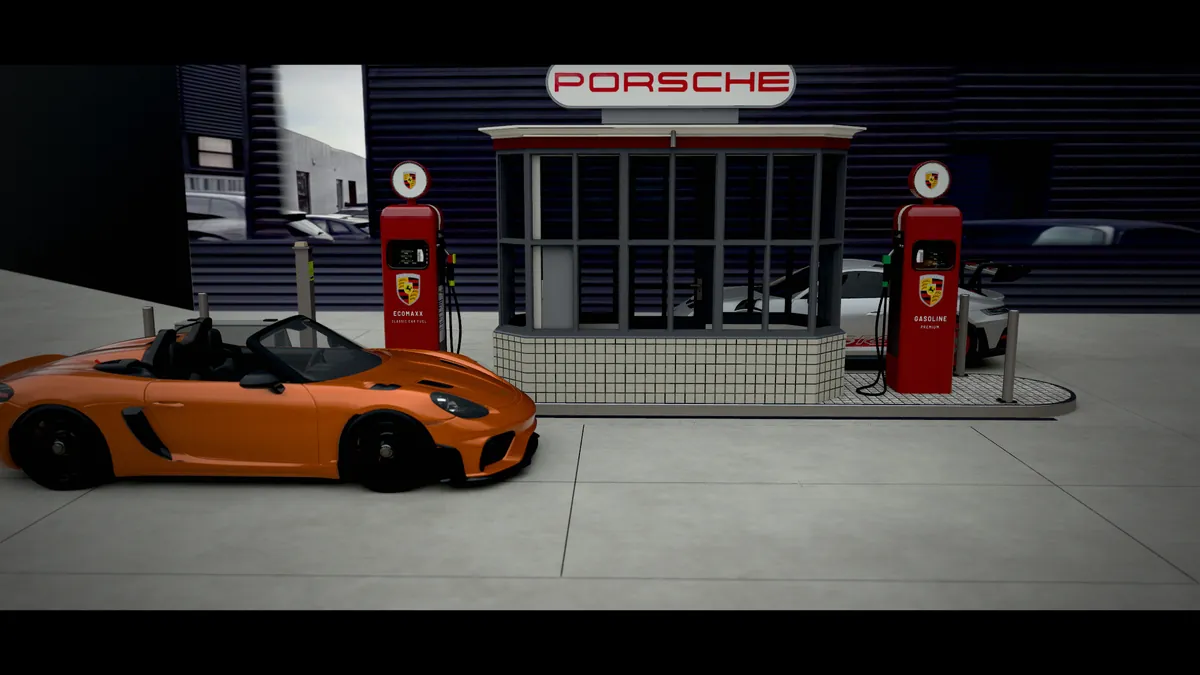
A still from Up we go: the kiosk and its illuminated PORSCHE sign between two red pumps, framed in a cinematic 2.2:1 aspect ratio
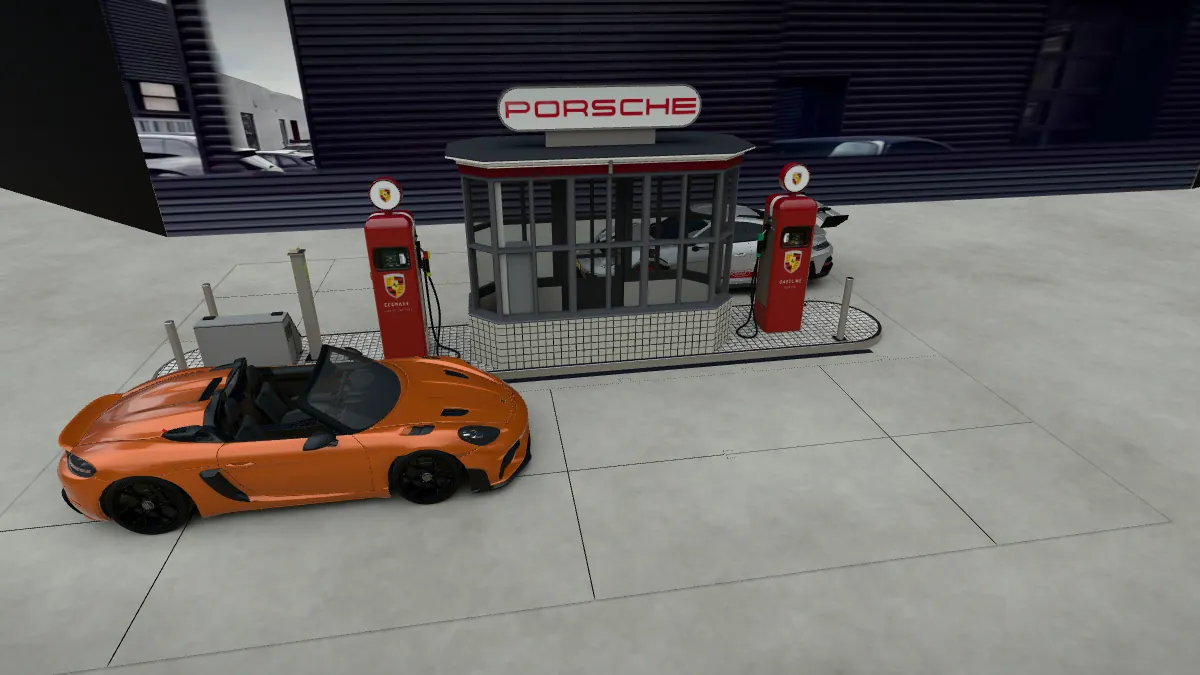
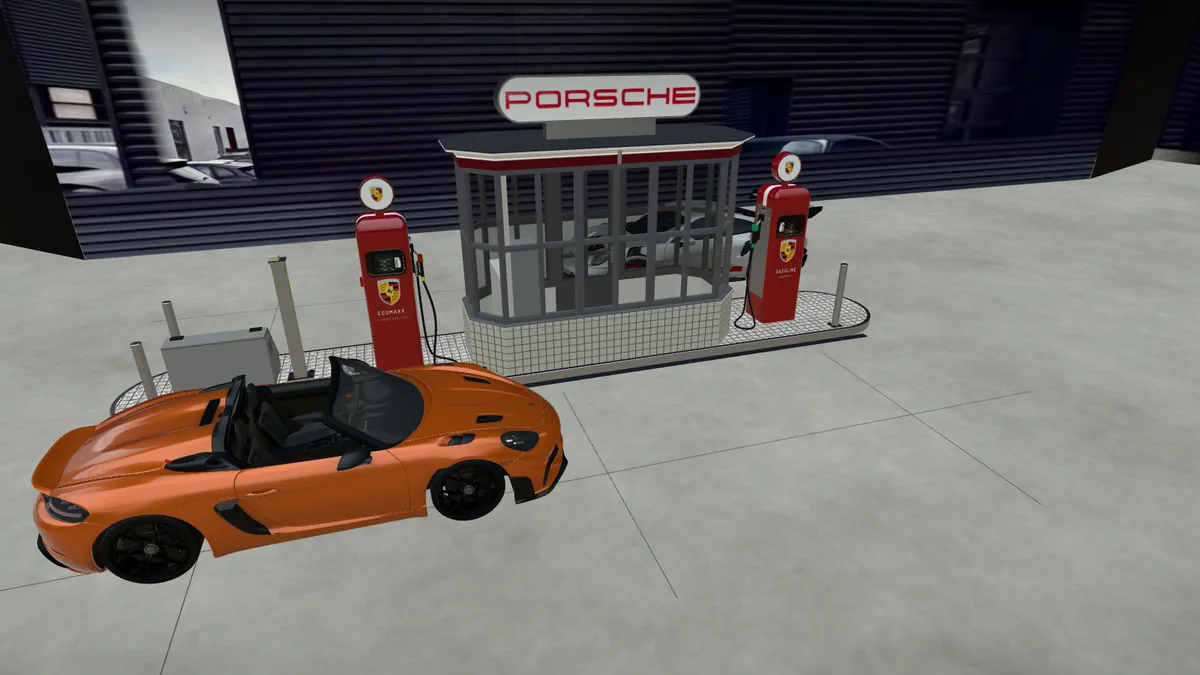
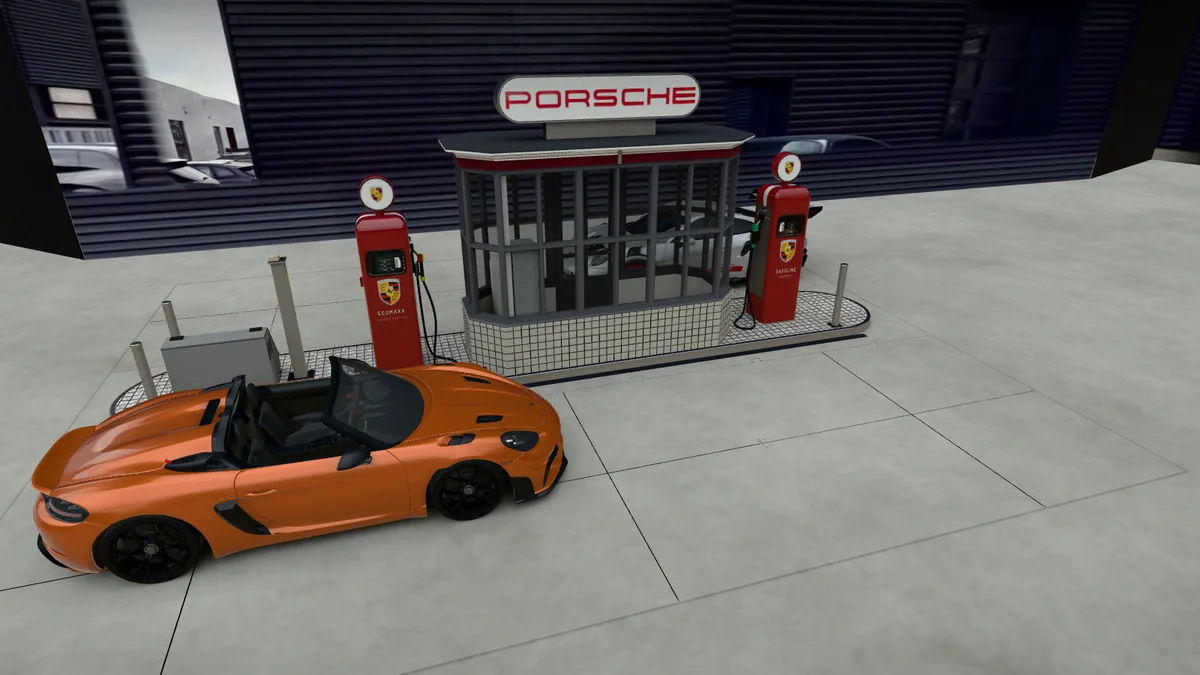
The 1:18-scale petrol station seen from the courtyard: a kiosk with an illuminated PORSCHE sign, two red pumps, a silver 911 GT3 RS and a 718 Spyder RS
Live 3D Explore the diorama in 3D Open the diorama in a separate window

The demo loads when it comes into view, adding detail as it goes. Choose Take control to drag and zoom. Pause and sound controls are at the top of the viewer. Camera tour, Up we go and Valet run start with music; there are three tracks. If you mute the sound, it stays muted while you explore manually. A play button, a track selection or Sound on turns the music back on.

Five iPhone photos. A complete 3D experience.

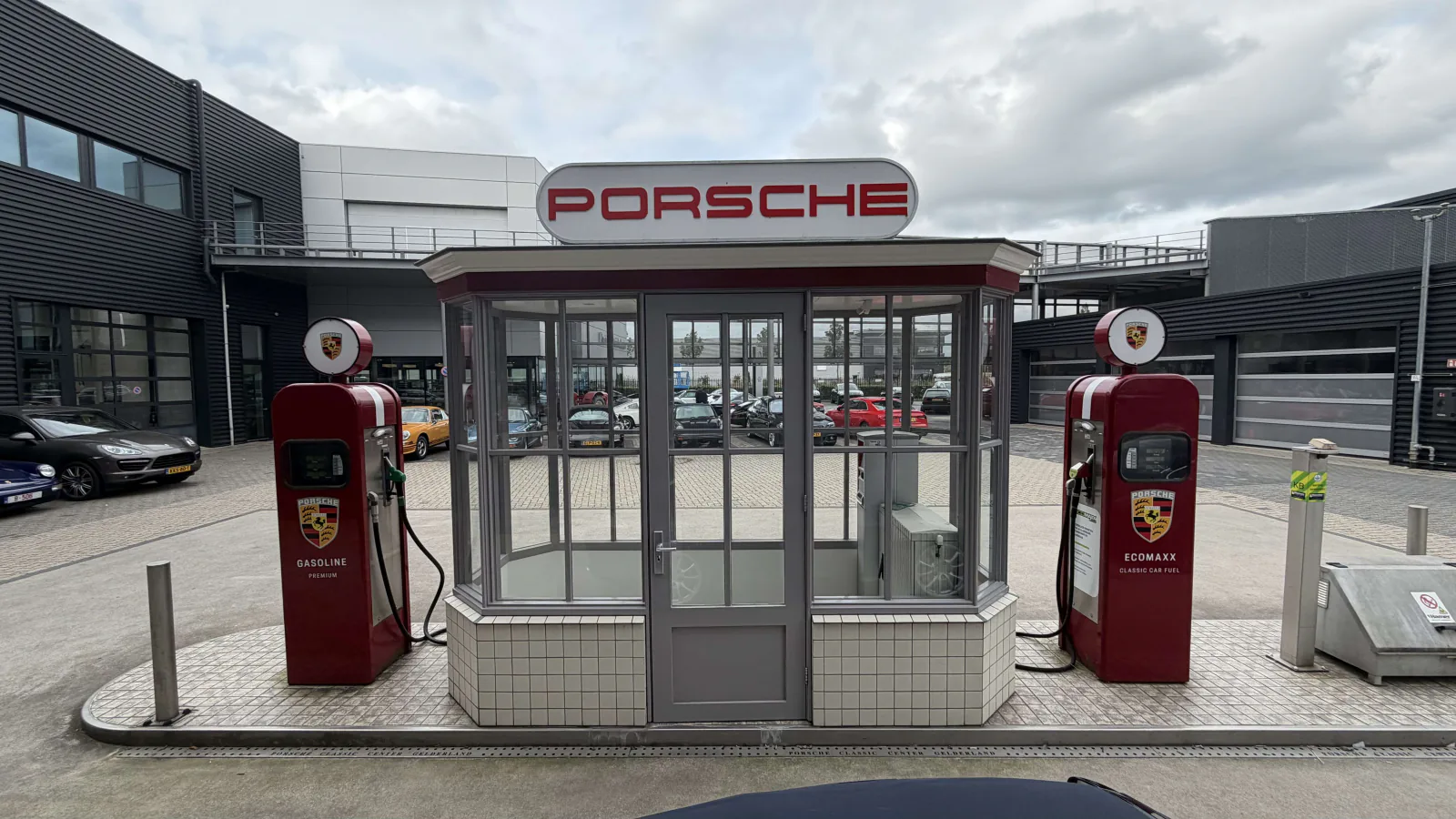
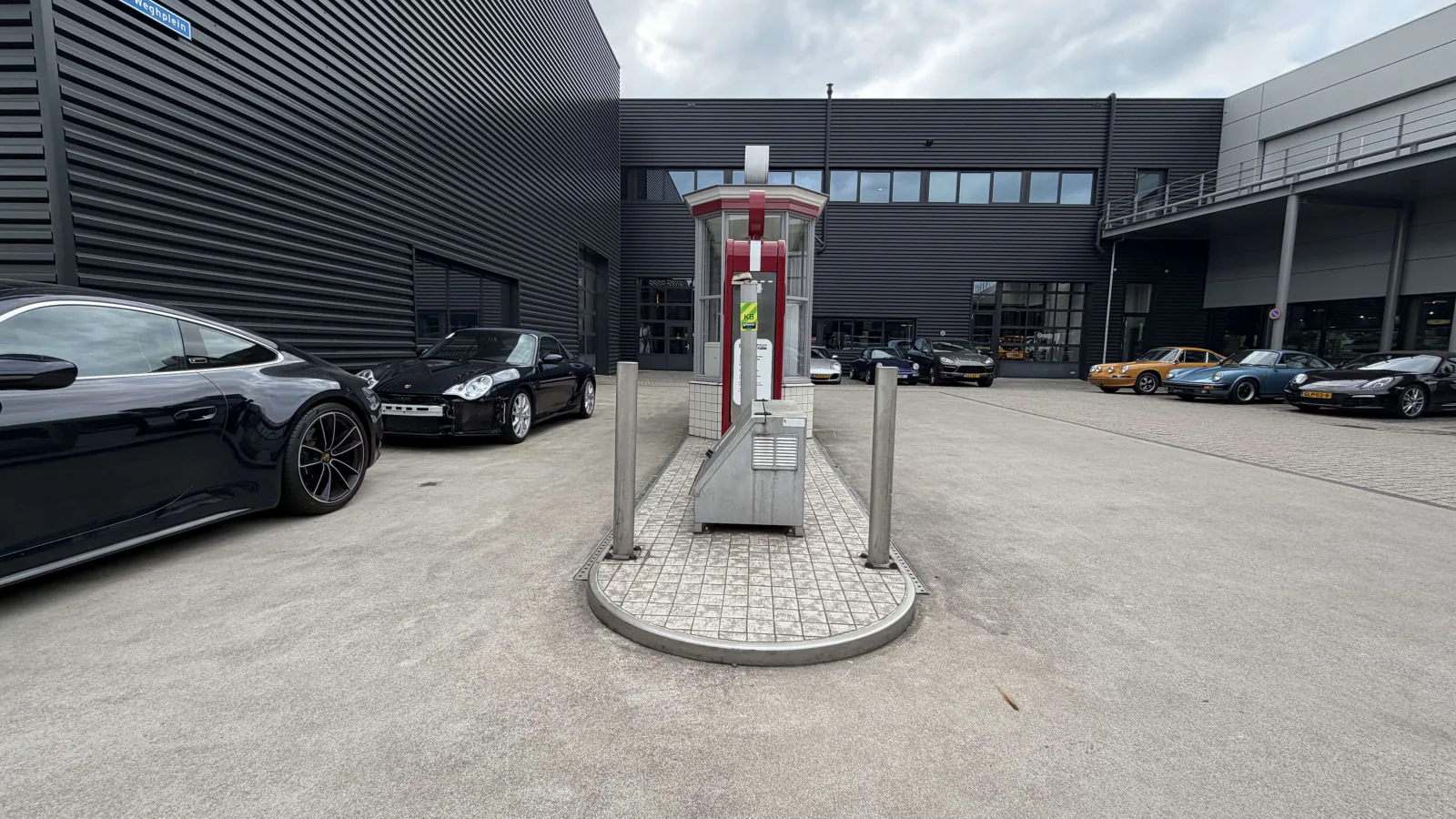
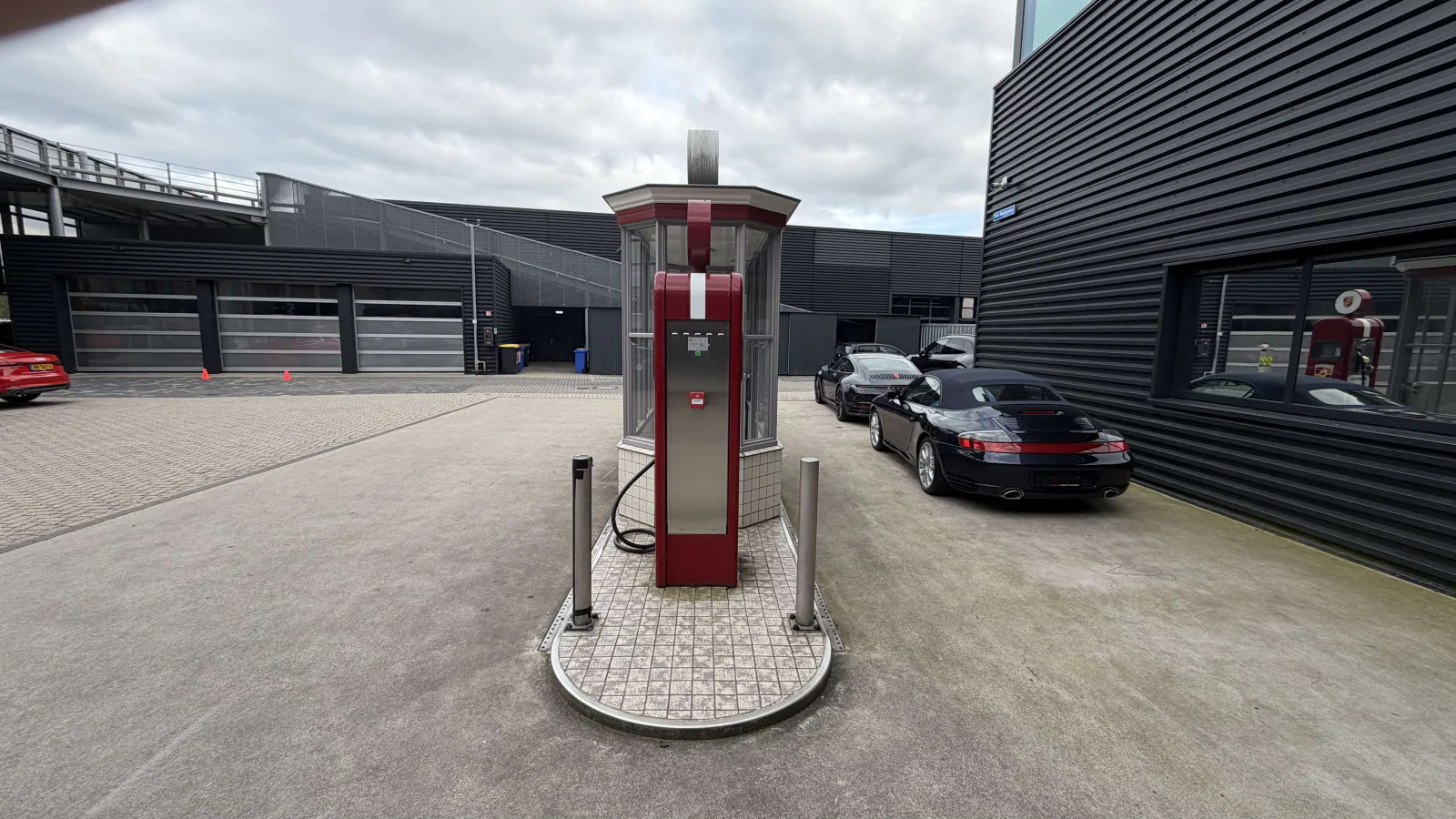
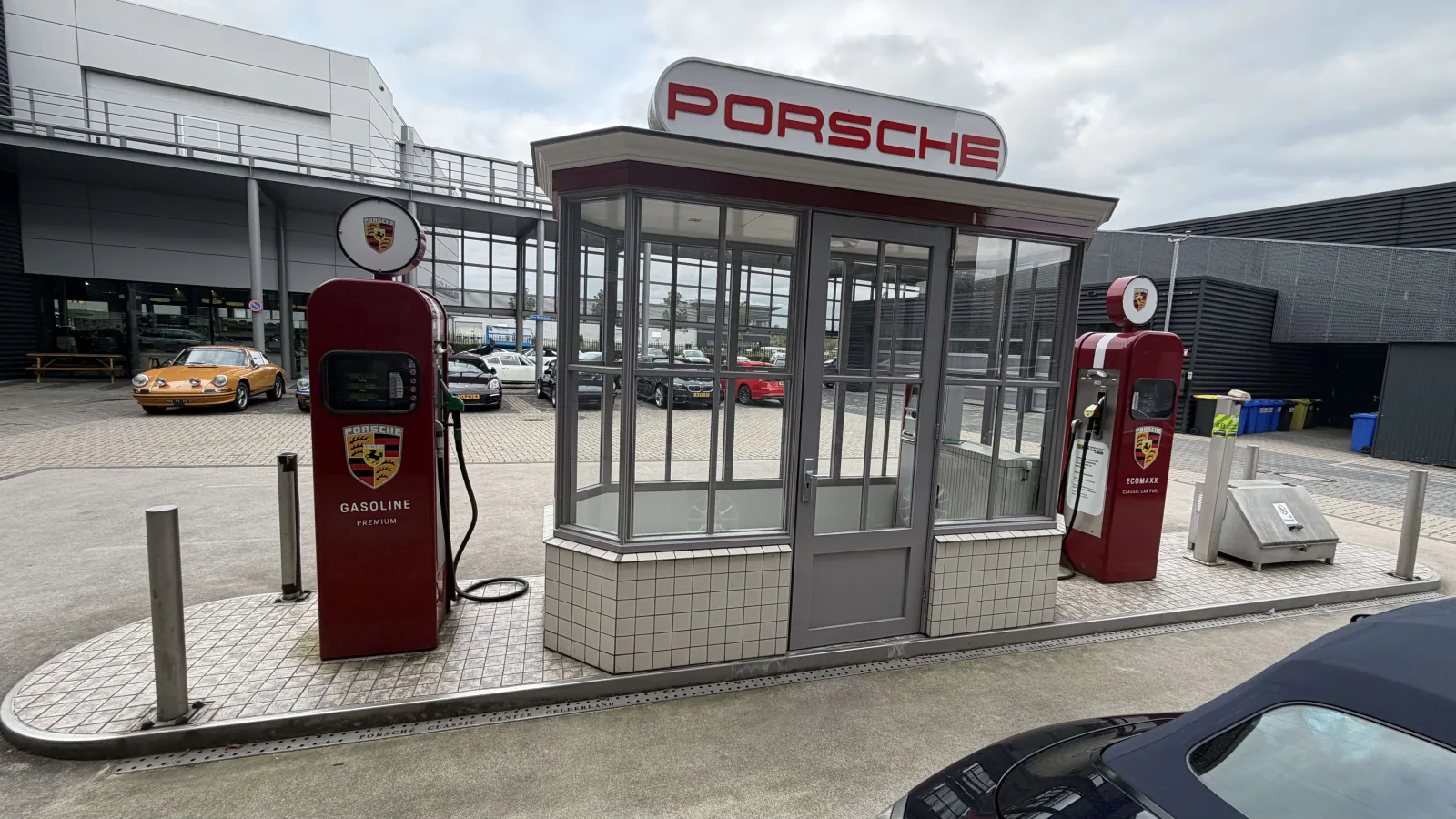
These are all five source photographs: the front, two views of the back and two of the sides. No other photographs of the location were used. They provided the basis for recreating the petrol station and its surroundings as an interactive presentation. The two cars were added as existing 3D models.
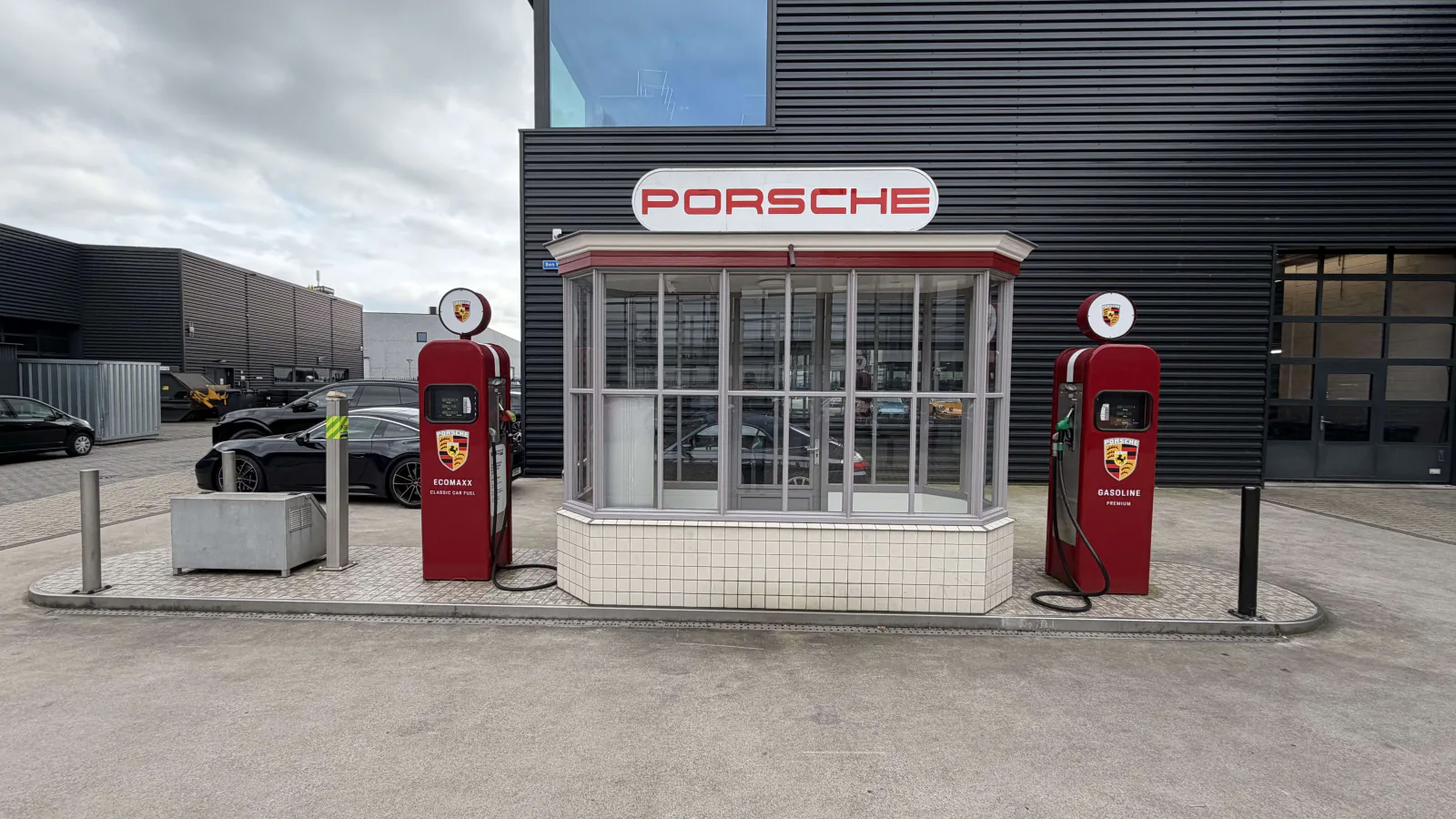
Front
Front
Rear view 1
Rear view 1
Rear view 2
Rear view 2
Side view 1
Side view 1
Side view 2
Side view 2
1.01mtriangles, rendered livethe complete scene in your browser
1:18to the millimetreone unit equals 1 mm on the model
8KHDR of the real courtyardassembled from my own photographs
3languages, one sceneDutch, English and German
The camera path from Blender, travelling low across the courtyard and around the petrol station
Scroll to join the flight: the same camera path, frame by frame from the viewer.

Camera movement

The camera tour comes straight from Blender

The camera path was laid out in Blender as a smooth spline around the diorama. The viewer receives 160 camera frames, each defining position, viewing direction and lens, and plays them back and forth with gentle acceleration and deceleration.

Choose a viewpoint and the camera flies to it along a slight arc in one and a half seconds. Half a second after arriving, it begins a slow drone-like orbit until you take control.
The petrol station without baked shadows, making the objects appear detached from the ground The same view with shadows baked in Blender Cycles: soft contact shadows beneath the cars, pumps and kiosk
Drag across the image: shadows from Blender Cycles on the left, no shadows on the right.

Light and shadow

Lit by the real courtyard

The diorama sits within the courtyard of Porsche Classic Center Gelderland as it appears on an overcast day. I assembled a custom HDR panorama from photographs taken there. It supplies the lighting, reflections in the paintwork and background, at 8K on large screens and 4K on mobile.

Buildings in the right perspective. A panorama normally appears infinitely far away, but the buildings stand close to the petrol station. A custom shader projects the panorama onto those façades from the position where the photographs were taken, at an eye level of 1.70 metres. This keeps the perspective and alignment consistent as you look around.

Shadows calculated in advance. The soft shadows beneath the cars, in the kiosk’s corners and between the paving stones are calculated in Blender Cycles and baked into textures. The browser can display a convincingly grounded scene without performing those expensive lighting calculations live.

Two sequences set to music

Up we go and Valet run: each with its own rhythm

Up we go takes you through 36 shots in 2:05. Valet run features 136 shots in 3:26. Both sequences are rendered live in 3D, with cuts timed to the music and title cards in your chosen language.

Up we go and Valet run: two distinct sequences Each orange line marks the start of a shot. Up we go has 36 shots over 125 seconds; Valet run has 136 over 206 seconds. Purple bands indicate title cards. Both rows use the same time scale. Up we go · 36 shots · 2:05 Shot 1 · 0.00 s Shot 2 · 9.91 s Shot 3 · 17.64 s Shot 4 · 25.37 s Shot 5 · 33.11 s Shot 6 · 36.96 s Shot 7 · 40.82 s Shot 8 · 44.68 s Shot 9 · 48.53 s Shot 10 · 52.38 s Shot 11 · 56.23 s Shot 12 · 58.16 s Shot 13 · 58.64 s Shot 14 · 59.12 s Shot 15 · 59.60 s Shot 16 · 60.08 s Shot 17 · 63.93 s Shot 18 · 67.77 s Shot 19 · 71.61 s Shot 20 · 72.09 s Shot 21 · 72.57 s Shot 22 · 73.05 s Shot 23 · 73.53 s Shot 24 · 75.46 s Shot 25 · 79.29 s Shot 26 · 83.14 s Shot 27 · 86.97 s Shot 28 · 87.45 s Shot 29 · 87.94 s Shot 30 · 88.41 s Shot 31 · 88.89 s Shot 32 · 90.82 s Shot 33 · 94.65 s Shot 34 · 102.33 s Shot 35 · 109.98 s Shot 36 · 117.64 s Retro petrol station 911 GT3 RS Classic petrol pumps 718 Spyder RS 1:18 scale Retro petrol station 1:18 Valet run · 136 shots · 3:26 Shot 1 · 0.00 s Shot 2 · 3.93 s Shot 3 · 7.74 s Shot 4 · 11.55 s Shot 5 · 15.36 s Shot 6 · 19.16 s Shot 7 · 21.07 s Shot 8 · 22.98 s Shot 9 · 24.88 s Shot 10 · 26.78 s Shot 11 · 27.74 s Shot 12 · 28.69 s Shot 13 · 29.64 s Shot 14 · 30.59 s Shot 15 · 31.07 s Shot 16 · 31.54 s Shot 17 · 32.02 s Shot 18 · 32.50 s Shot 19 · 32.97 s Shot 20 · 33.45 s Shot 21 · 33.92 s Shot 22 · 34.40 s Shot 23 · 38.19 s Shot 24 · 40.09 s Shot 25 · 41.05 s Shot 26 · 42.01 s Shot 27 · 43.91 s Shot 28 · 44.38 s Shot 29 · 44.85 s Shot 30 · 45.33 s Shot 31 · 45.81 s Shot 32 · 47.72 s Shot 33 · 49.63 s Shot 34 · 53.43 s Shot 35 · 55.33 s Shot 36 · 55.80 s Shot 37 · 56.28 s Shot 38 · 56.76 s Shot 39 · 57.24 s Shot 40 · 61.05 s Shot 41 · 64.85 s Shot 42 · 65.79 s Shot 43 · 66.75 s Shot 44 · 67.70 s Shot 45 · 68.65 s Shot 46 · 69.13 s Shot 47 · 69.60 s Shot 48 · 70.08 s Shot 49 · 70.55 s Shot 50 · 72.46 s Shot 51 · 76.28 s Shot 52 · 77.22 s Shot 53 · 78.18 s Shot 54 · 79.60 s Shot 55 · 80.07 s Shot 56 · 83.88 s Shot 57 · 85.78 s Shot 58 · 87.68 s Shot 59 · 91.49 s Shot 60 · 92.44 s Shot 61 · 93.39 s Shot 62 · 94.34 s Shot 63 · 95.30 s Shot 64 · 99.10 s Shot 65 · 99.57 s Shot 66 · 100.05 s Shot 67 · 100.53 s Shot 68 · 101.00 s Shot 69 · 102.90 s Shot 70 · 106.71 s Shot 71 · 110.51 s Shot 72 · 116.22 s Shot 73 · 121.91 s Shot 74 · 125.70 s Shot 75 · 127.60 s Shot 76 · 129.49 s Shot 77 · 130.44 s Shot 78 · 131.40 s Shot 79 · 132.34 s Shot 80 · 133.29 s Shot 81 · 133.76 s Shot 82 · 134.24 s Shot 83 · 134.72 s Shot 84 · 135.19 s Shot 85 · 135.66 s Shot 86 · 136.14 s Shot 87 · 136.62 s Shot 88 · 137.09 s Shot 89 · 140.41 s Shot 90 · 140.89 s Shot 91 · 144.68 s Shot 92 · 148.48 s Shot 93 · 152.27 s Shot 94 · 152.75 s Shot 95 · 153.22 s Shot 96 · 153.69 s Shot 97 · 154.17 s Shot 98 · 154.65 s Shot 99 · 155.12 s Shot 100 · 155.60 s Shot 101 · 156.07 s Shot 102 · 159.86 s Shot 103 · 160.82 s Shot 104 · 161.76 s Shot 105 · 162.71 s Shot 106 · 163.66 s Shot 107 · 167.46 s Shot 108 · 167.93 s Shot 109 · 168.40 s Shot 110 · 168.88 s Shot 111 · 169.35 s Shot 112 · 169.82 s Shot 113 · 170.30 s Shot 114 · 170.77 s Shot 115 · 171.25 s Shot 116 · 175.04 s Shot 117 · 178.84 s Shot 118 · 182.64 s Shot 119 · 183.59 s Shot 120 · 184.53 s Shot 121 · 185.00 s Shot 122 · 185.48 s Shot 123 · 185.96 s Shot 124 · 186.43 s Shot 125 · 190.22 s Shot 126 · 190.69 s Shot 127 · 191.16 s Shot 128 · 191.64 s Shot 129 · 192.12 s Shot 130 · 194.01 s Shot 131 · 195.91 s Shot 132 · 196.38 s Shot 133 · 196.86 s Shot 134 · 197.34 s Shot 135 · 197.81 s Shot 136 · 201.61 s Retro petrol station 911 GT3 RS 718 Spyder RS 1:18 scale Retro petrol station 1:18 0 s 30 s 60 s 90 s 120 s 150 s 180 s 210 s
  • start of a shot
  • title card in the chosen language

The music sets the timing

The visuals follow the music’s playback position, keeping cuts and camera movement on the beat even if a device drops a frame. Pausing stops both the sequence and the music.

Three tracks, two sequences

Track 1 is Up we go, track 2 is Broken umbrella and track 3 is Valet run. The camera tour opens with Broken umbrella. Each sequence uses its own track and camera shots.

Cinematic post-processing

Depth of field with bokeh, tilt-shift to emphasise the miniature scale, whip pans, light leaks, film grain and widescreen framing give the live scene the feel of an edited film.

The same experience in three languages

Controls, explanations, messages and title cards are translated. Switching between Dutch, English and German preserves the chosen viewpoint or sequence in the link.
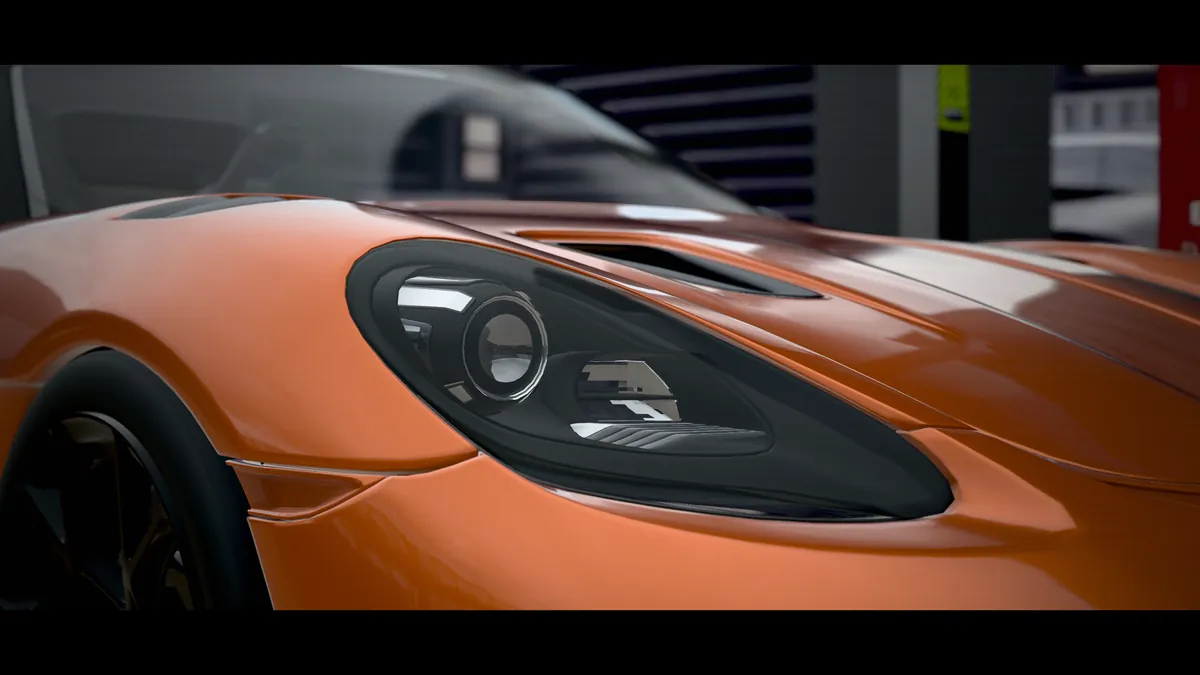
A close-up of the 718 Spyder RS headlight during Up we go
Up we go: close to the 718 Spyder RS, with depth of field rendered live.
A still from Valet run, rendered live in the 3D viewer
Valet run: a second sequence with its own rhythm and 136 camera shots.
The title card ‘1:18 scale’ above the retro petrol station, with tilt-shift emphasising the miniature effect
Tilt-shift brings out the diorama’s miniature scale.

Scale and detail

To the millimetre: one unit equals one millimetre on the model

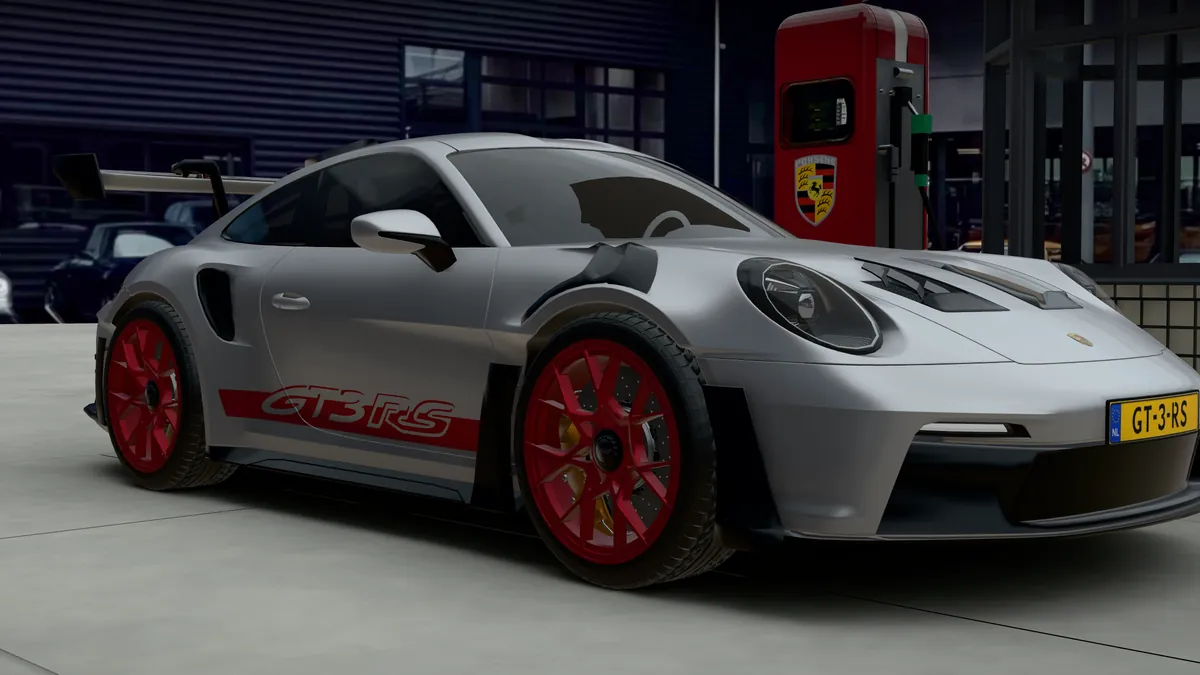
The silver 911 GT3 RS with red wheels and GT3 RS lettering, seen from the front quarter
911 GT3 RS — an existing 3D model sourced through Blendkit.
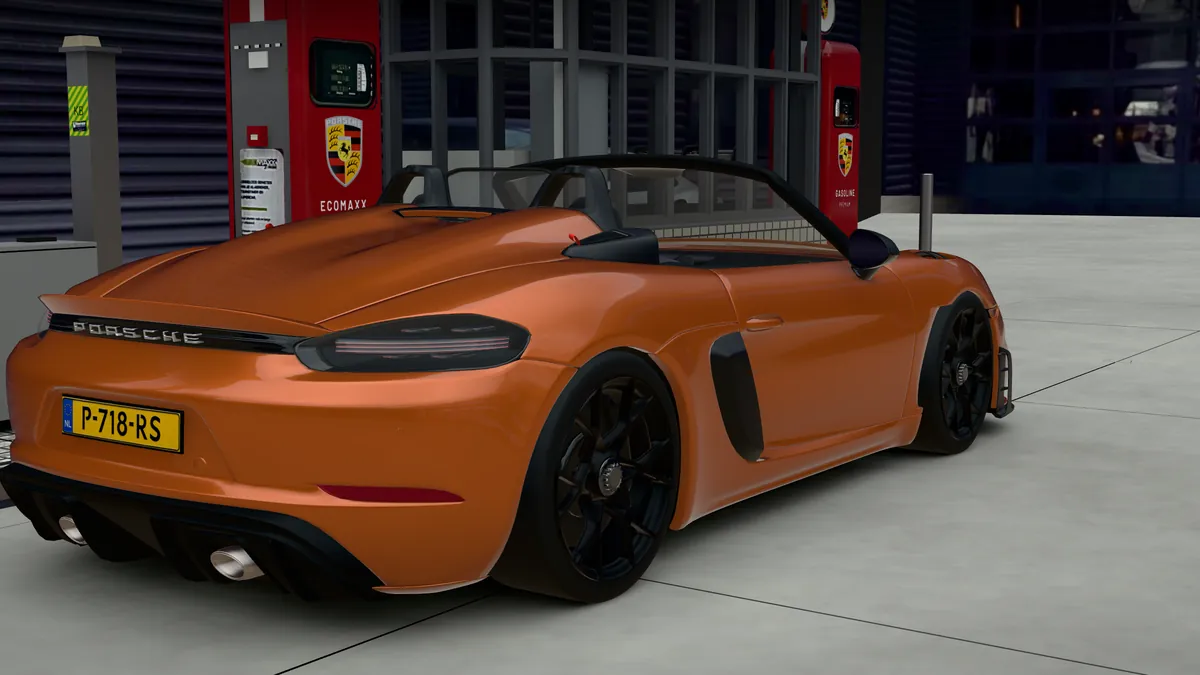
The 718 Spyder RS in Nordic Gold Metallic with black wheels, seen from the rear quarter beside a pump
718 Spyder RS — an existing 3D model sourced through Blendkit.

The petrol station is built to scale: one scene unit represents one millimetre on the 1:18 model. The base measures 611 by 517 mm. Accurate proportions, from the kiosk to the pumps and grating, make the miniature convincing.

My work and the models used. My work covers the petrol station, lighting, camera movement and interactive web presentation. The two cars are existing 3D models by other creators, obtained through Blendkit; I did not model them myself.

A drone that looks ahead. After you choose a viewpoint, the camera makes a slow orbit lasting 55 seconds. The viewer first calculates a height profile around that circle over the kiosk, pumps and cars, widening and smoothing it so the camera rises gently over them rather than flying through them.

From photograph to browser

Six steps from courtyard to screen

  1. Five iPhone photographs

    Photographs of the courtyard provide the lighting, background and building reference.

  2. HDR panorama

    A custom panorama made from those photographs: 2K for lighting, 4K and 8K for backgrounds.

  3. Blender

    The kiosk, pumps and grating modelled to scale, with existing car models added through Blendkit.

  4. Cycles baking

    Shadows and ambient occlusion calculated in advance and baked into textures.

  5. Export

    A light 3.8 MB scene and a full 15.5 MB scene, exported as compressed glTF with WebP textures.

  6. three.js

    Live WebGL rendering with custom shaders, including on mobile.

Built within strict security rules

The viewer runs under the same strict Content Security Policy as the rest of mahieu.nl, without WebAssembly, blob URLs or inline scripts. The browser unpacks the scene using its built-in gzip decoder, with a progress bar that reflects the actual download.

Quality that adapts

A lighter scene appears while the full scene loads in the background. On fast connections, the full version is available straight away. Backgrounds use 8K on large screens and 4K on mobile, while rendering resolution adjusts to the device. When nothing is moving, the viewer does not redraw the scene.

Shareable viewpoints

Each viewpoint appears in the address bar, for example ?view=kiosk. A shared link opens the same view.

Add it to your home screen

The web manifest lets the diorama open full screen from the home screen, including on an iPhone. With reduced motion enabled, the automatic camera tour does not start and flights between viewpoints are skipped. The gentle drone orbit remains available; Pause stops all automatic movement.

Why it matters

Explore a place or product in your browser

What this demonstrates. It shows how a physical place or product can be explored in ways that photographs and video cannot offer, through an experience that works quickly and securely across devices. This is a personal project, built to demonstrate the possibilities of Blender and WebGL using a location worth exploring.

How it relates to my services. This shows what taking an idea to a proof of concept means in practice: building an idea and letting people try it for themselves.

Verifiable evidence

What you can verify in Retro petrol station 1:18

Problem
Photographs and video only show part of a place or product. Browser-based 3D can be slow, indistinct or dependent on plug-ins and external services.
Approach
A petrol station modelled at 1:18 scale in Blender, combined with existing car models from Blendkit. Lighting comes from a custom HDR of the real location, shadows are baked in Cycles, and a custom three.js viewer adds cinematic post-processing.
Status
Live and publicly available at www.mahieu.nl/pcg. A personal project, not a commission.
Demonstrable result
The full scene contains 1.01 million triangles. The viewer works in Dutch, English and German, with two sequences and three music tracks, including on mobile. Viewpoints and sequences can be shared through the address bar.
Limitations
The light scene is 3.8 MB and the full scene 15.5 MB, with backgrounds, shadow textures and music loaded separately. Music requires a tap or key press. On an iPhone, use Add to Home Screen for full-screen viewing.
Last reviewed

Frequently asked questions

About Retro petrol station 1:18

Was this commissioned by Porsche Classic Center Gelderland?

No. Retro petrol station 1:18 is a personal project. The retro petrol station at Porsche Classic Center Gelderland in Heteren is its subject, not its client.

Which languages are available?

The viewer is available in Dutch, English and German. Controls, explanations, messages and title cards are translated. Switching language preserves your chosen viewpoint or sequence.

What is the difference between Up we go and Valet run?

They are two sequences with their own music and camera shots. Up we go runs for 2:05 and has 36 shots; Valet run runs for 3:26 with 136 shots. Both are rendered live in 3D.

Does it work on a phone or tablet?

Yes. On mobile, the viewer uses a lighter background and adjusts the resolution to the device’s performance. On an iPhone, use Add to Home Screen to open the diorama full screen.

Why does the demo only load when it comes into view?

This keeps the initial page load light. The viewer loads a 3.8 MB scene first, then builds up to the full 15.5 MB scene, with backgrounds and shadow textures loaded separately. If data saving is enabled, the demo only starts when you ask it to.

Could you make something like this for a product or location?

Yes. The same approach can be used for a product, showroom, building or scale model, turning photographs and measurements into an interactive model for modern browsers without an app or plug-in.

Contact

Questions about this project or the technology behind it?

You’re welcome to get in touch.

Prefer to contact me directly? Call +31 6 1400 2312 or email mwd@mahieu.nl.